How to take a good source photo
The single biggest lever on output quality is the photo you upload. Five minutes of attention here saves a re-shoot.
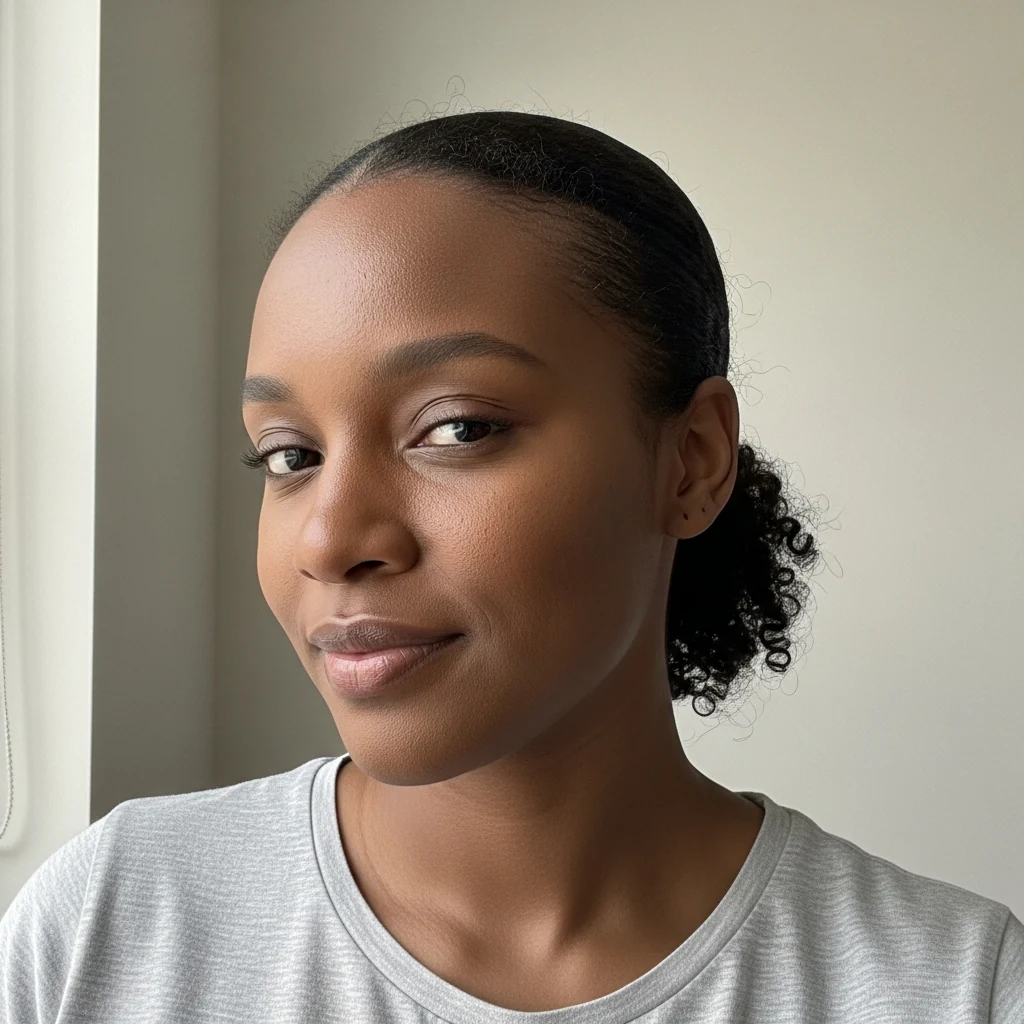
What works A clean head-and-shoulders shot, taken at arm's length or further, with your face roughly filling the upper half. Plain wall behind you. Soft, even daylight on your face — north-facing window or open shade outside. No harsh shadows. Look at the lens. Neutral expression or a small relaxed smile. Wear what you'd wear on the day you'd actually use the headshot.
What does not work Selfies taken from below — the lens distortion enlarges your nose and shrinks your forehead, and no AI step will undo that geometry. Strong overhead light (kitchen ceiling, midday sun) that carves shadows under the eyes. Backlight from a window so your face is in silhouette. Group photos cropped down to one face. Heavily filtered photos from social apps — the AI inherits the filter.
A quick checklist 1. Stand near a window, face it. 2. Hold your phone at eye level, an arm's length away. 3. Take three shots: neutral, half-smile, full smile. 4. Pick the one where your eyes are relaxed and in focus. 5. Upload that one.
If you only have a half-body or full-body photo, our pipeline will re-crop to a head-and-shoulders shot automatically — but a tighter source photo still gives a sharper result.